
My Role
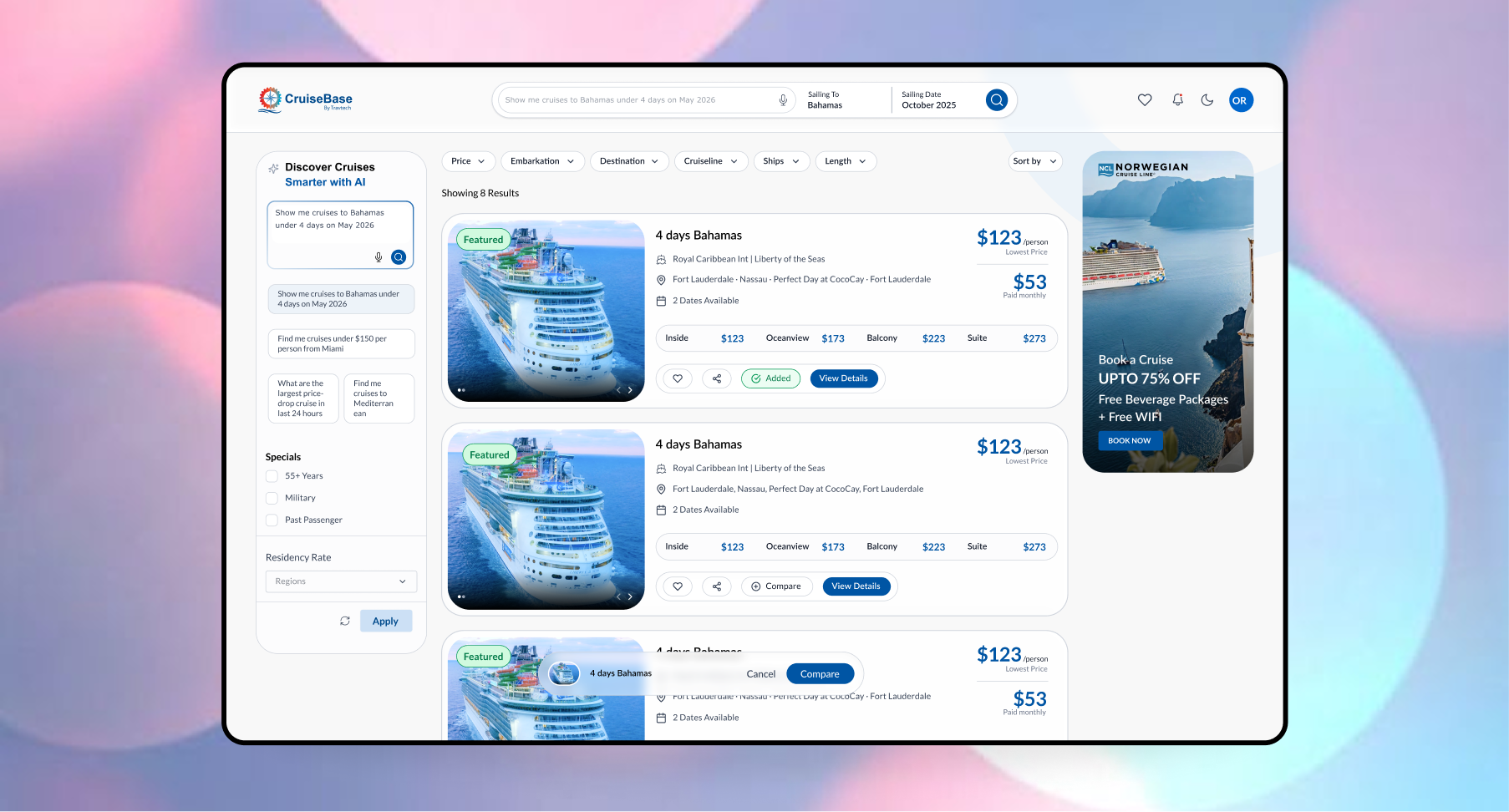
Led product design for the cruise booking engine, shaping AI-assisted search, personalized cabin selection, and a streamlined checkout experience.
Key outcomes delivered
Redesigned core booking flows to reduce decision friction and improve task completion.
Standardized pricing and ticket details to make comparisons faster and more transparent.
Defined a guided user journey that supports discovery, selection, and checkout in fewer steps.
Problem
Before
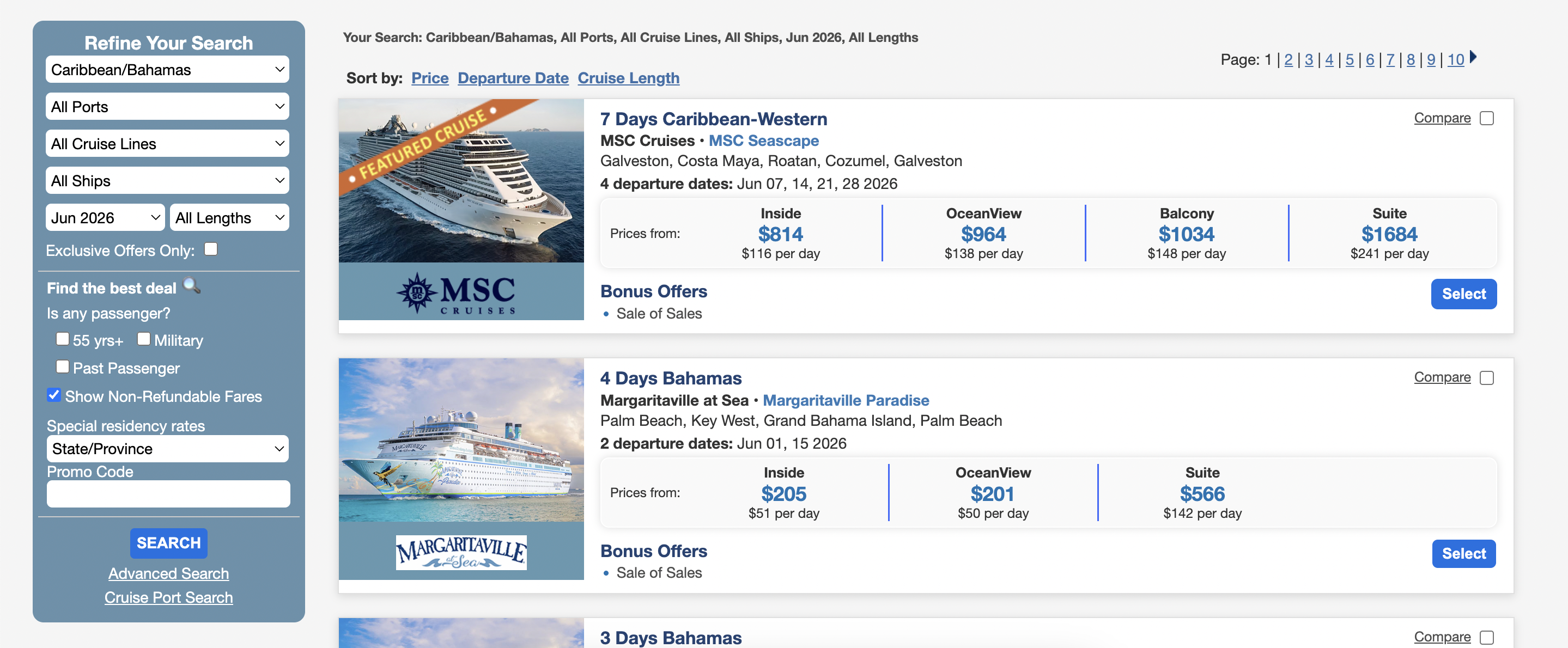
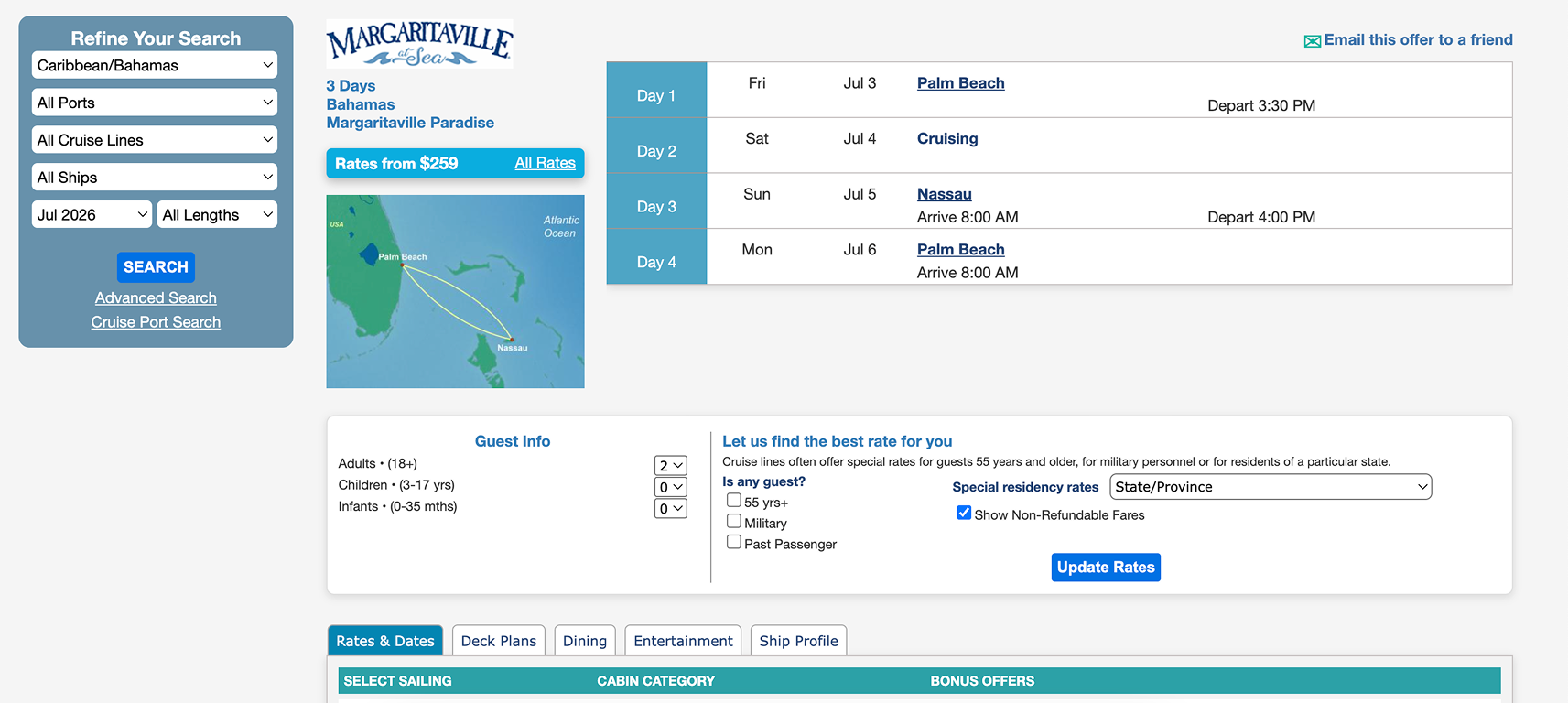
The booking flow was fragmented across screens, making search and cabin selection difficult.
Users were unable to compare fares quickly, and pricing details were hard to understand.
The checkout process lacked clarity, which increased abandonment risk.
Solution
After
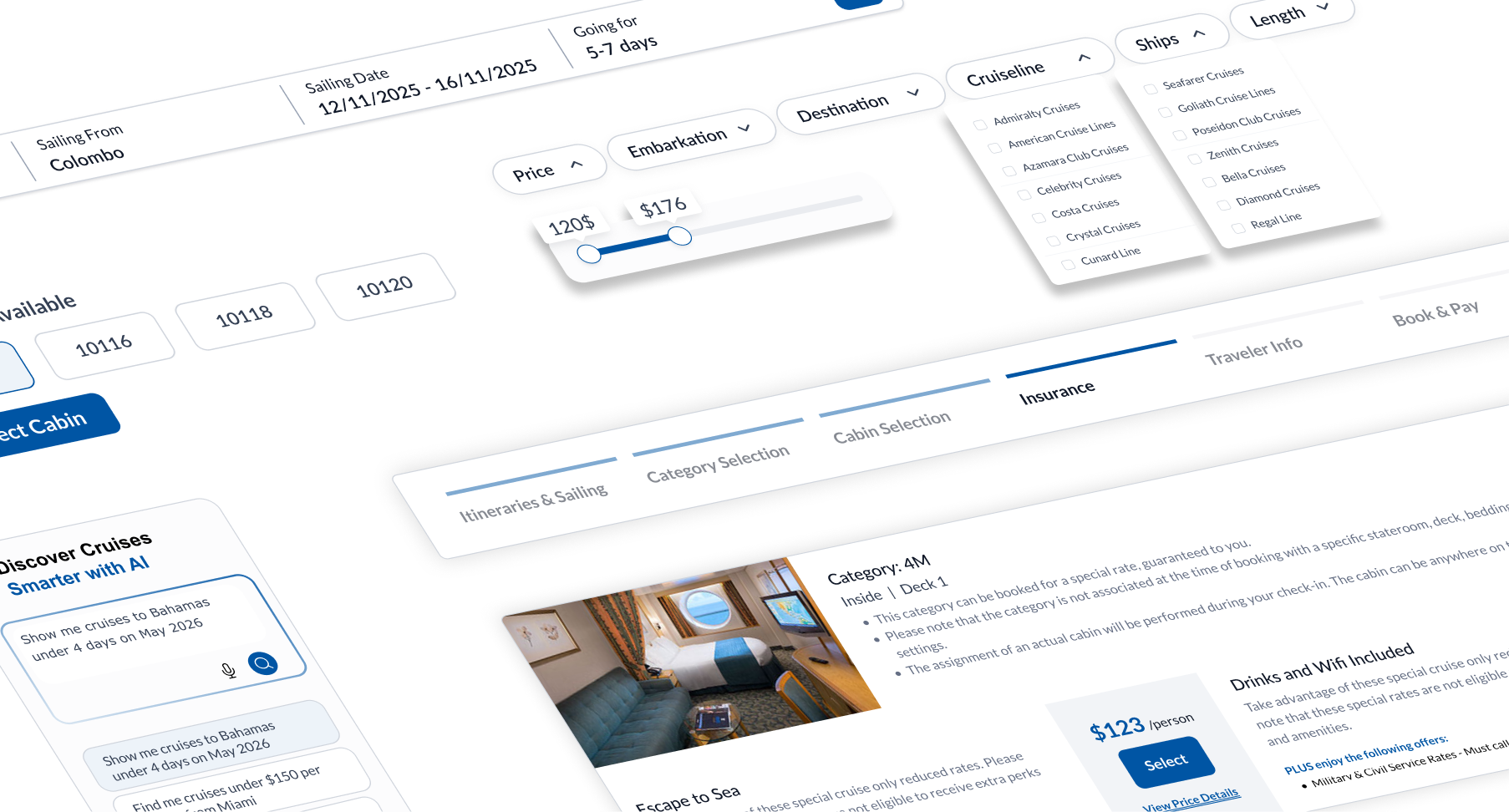
Led the product-level redesign of the cruise booking engine, reducing cognitive load, improving pricing clarity, and strengthening trust across search, selection, and checkout experiences.
Identity
What's Identified?
The booking product suffered from inconsistent visual language and interaction patterns, causing users to lose trust and add unnecessary effort to the search process.
User Research
Qualitative
Quantitative
Personas
Katie
Scenario
She wants to visit the booking site to plan a family cruise vacation. They want to compare different itineraries, check cabin availability, understand total pricing, and complete the booking confidently.
Pain Points
Jacob
Scenario
He is an agency owner wants to use Travtech’s CBE as their branded booking website to serve their customers. They expect the platform to reflect their identity while maintaining functional consistency.
Pain Points
Approach and Use Cases
Search & Discovery
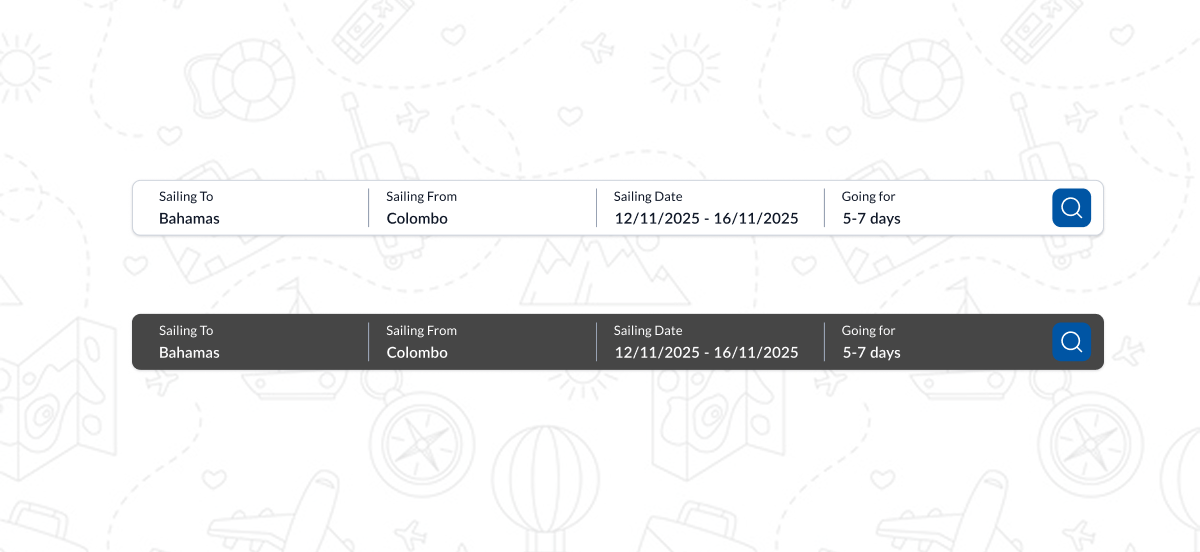
UC01 – Search by Destination/Date
A user enters destination, embarkation port, or date range and views relevant cruise results instantly.
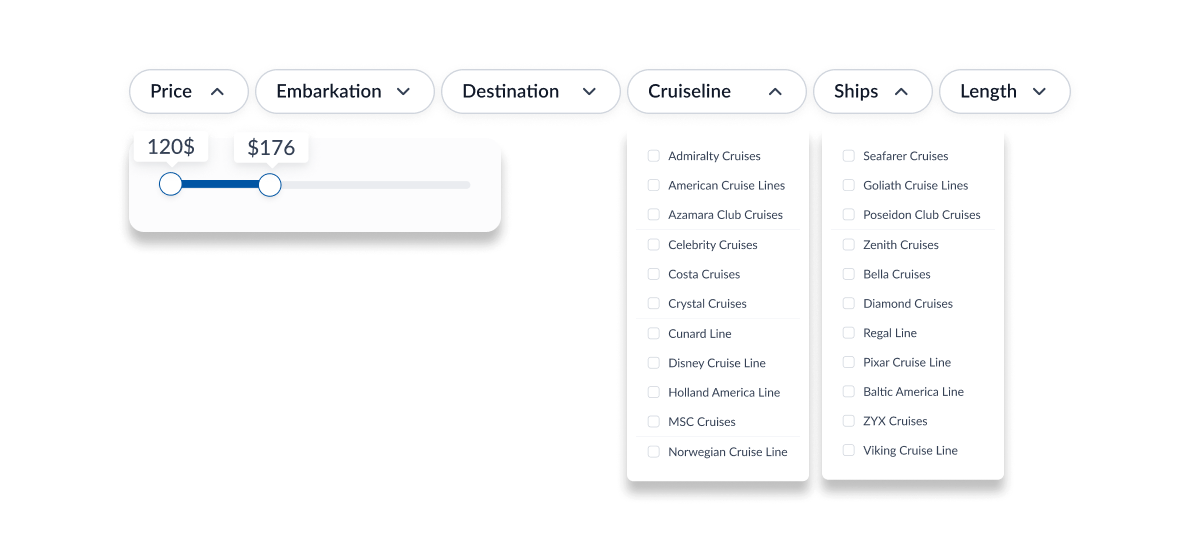
UC02 – Filter & Sort Cruises
Users apply filters like price, cruise line, ship, duration, or departure port to refine search results.
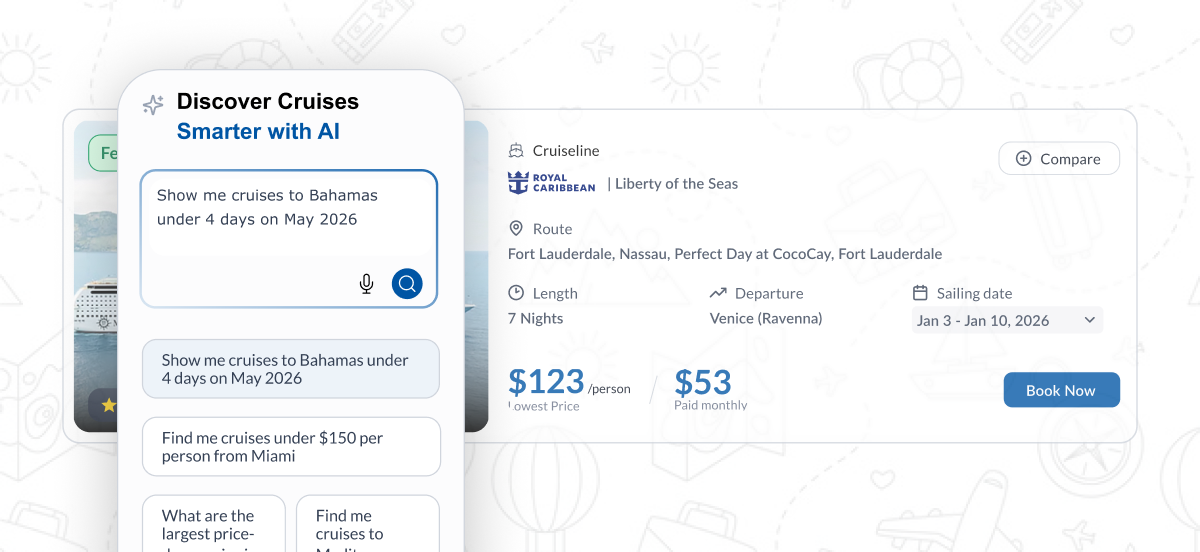
UC03 – AI-Assisted Search
User types natural language queries like “Caribbean cruise for 5 nights in June” and the AI suggests cruise lists.
Cruise Details & Itinerary
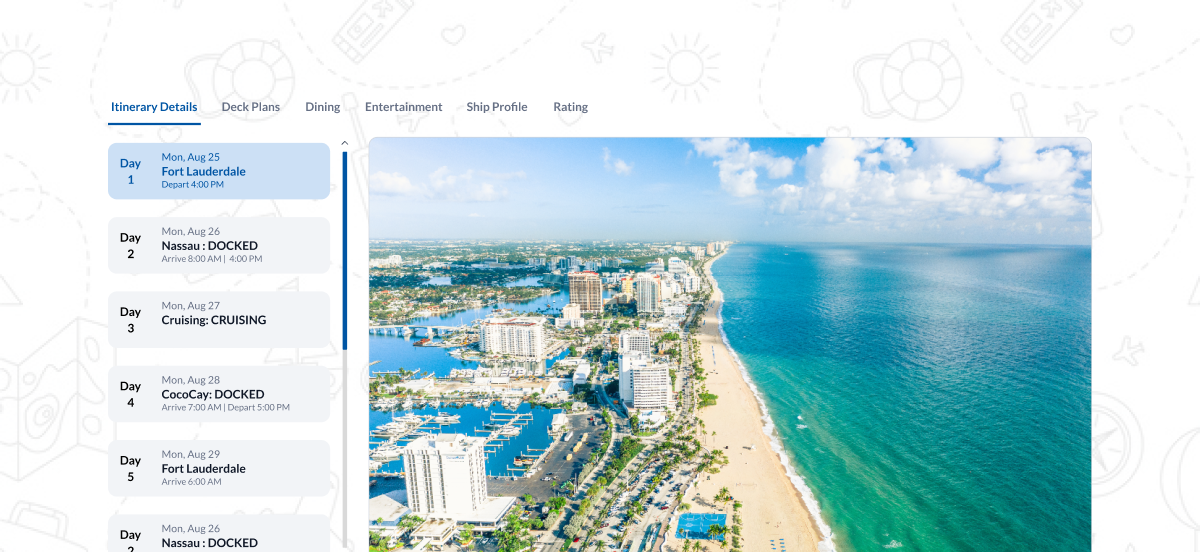
UC04 – View Detailed Itinerary
The user checks the day-by-day itinerary, ports, and timings in a clean visual layout.
UC05 – Explore Ship Details
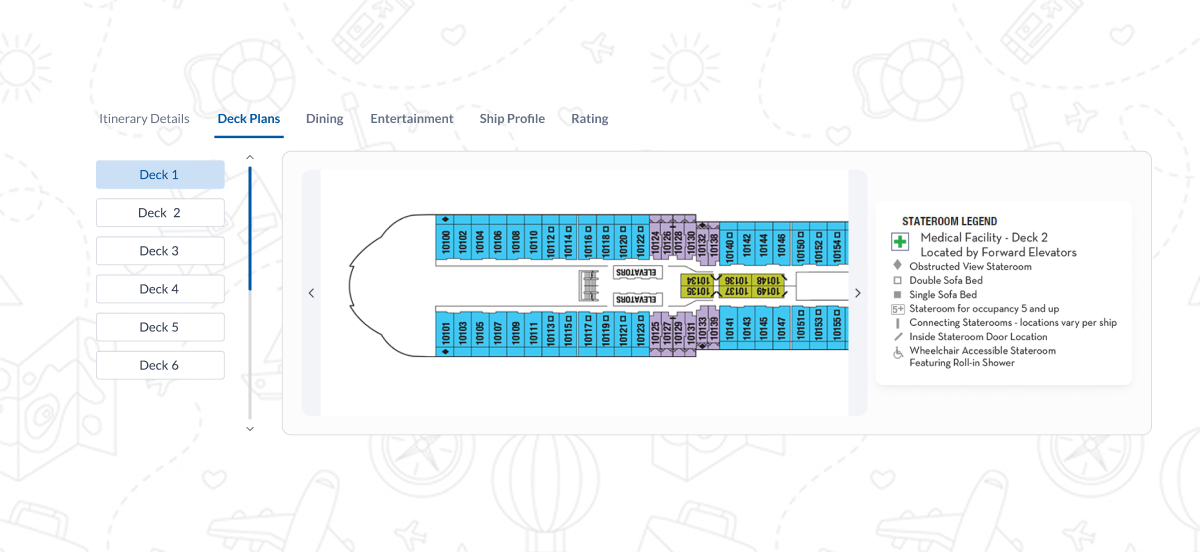
User views ship features, entertainment options, cabin categories, and deck plans.
Cabin Selection
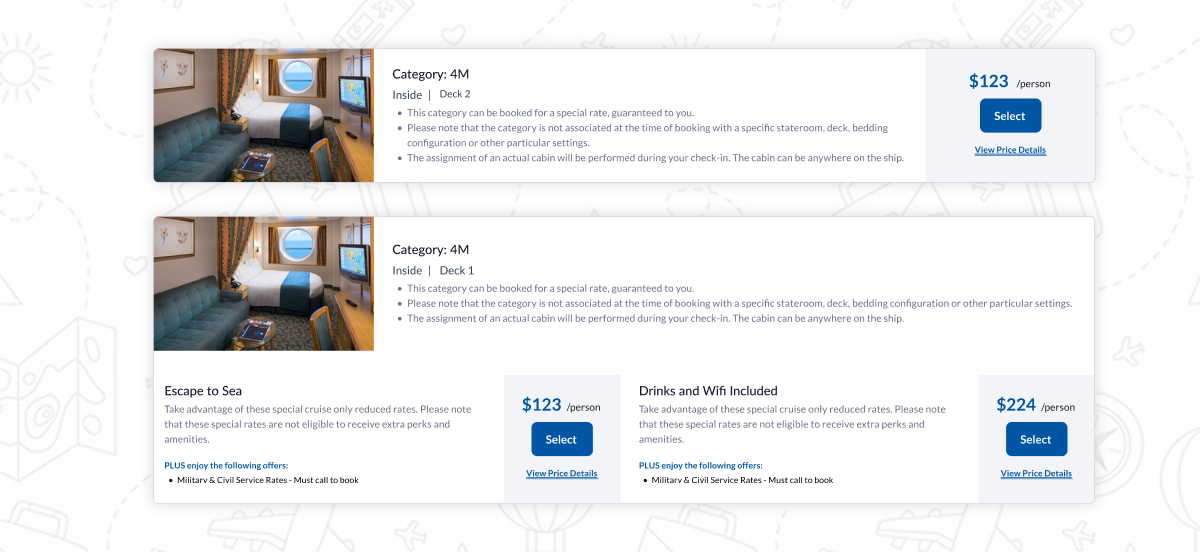
UC06 – Choose Cabin Category
The user selects the cabin type (Interior, Oceanview, Balcony, Suite).
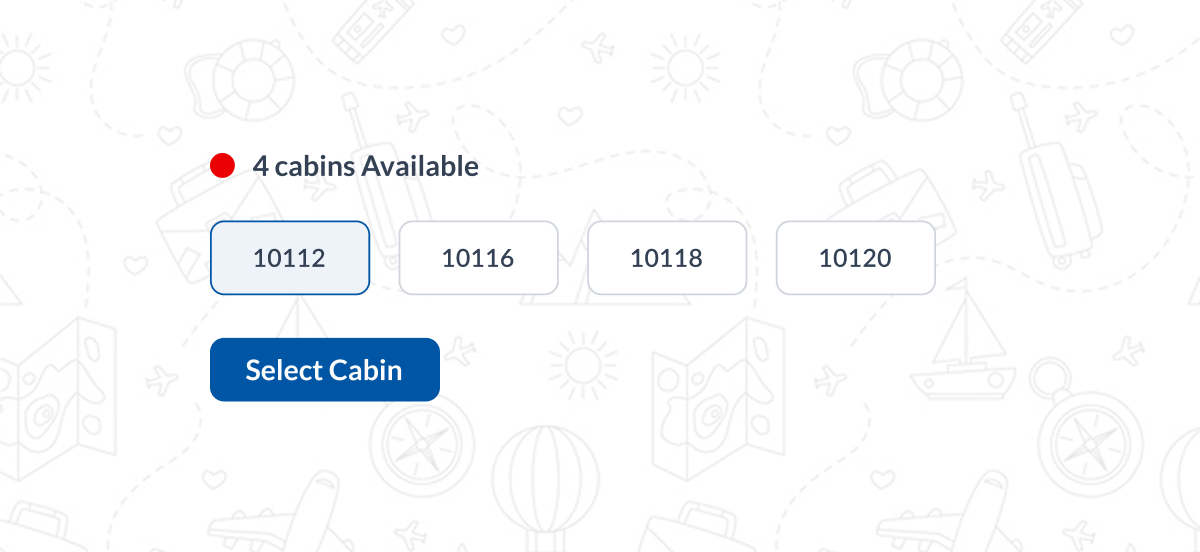
UC07 – Check Availability
The user sees cabin availability in real-time with status indicators.
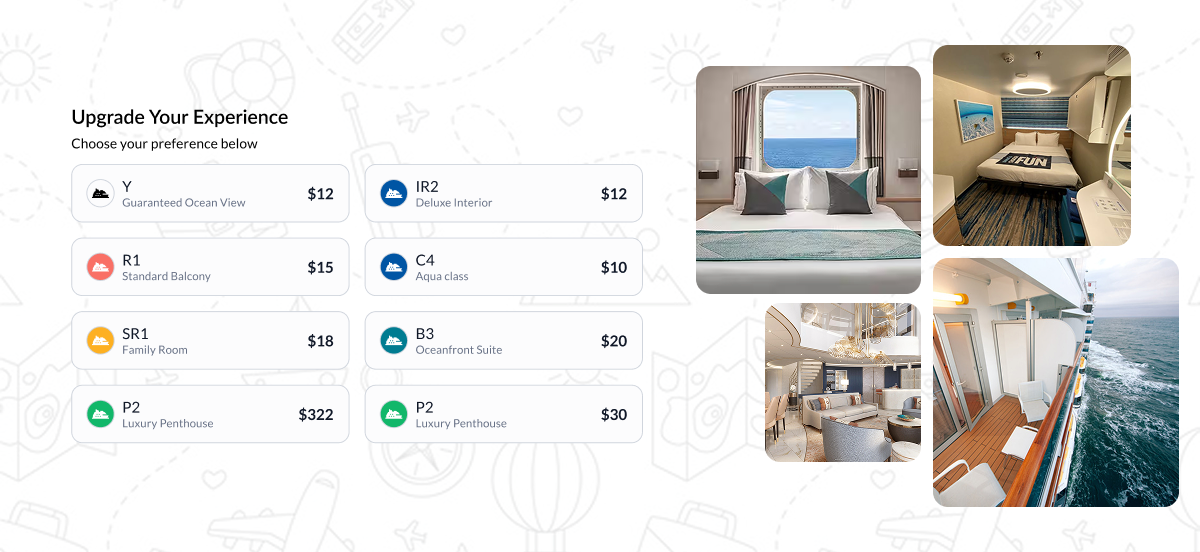
UC08 – Upgrade or Change Cabin
The user modifies the cabin choice before payment.
Booking & Payment
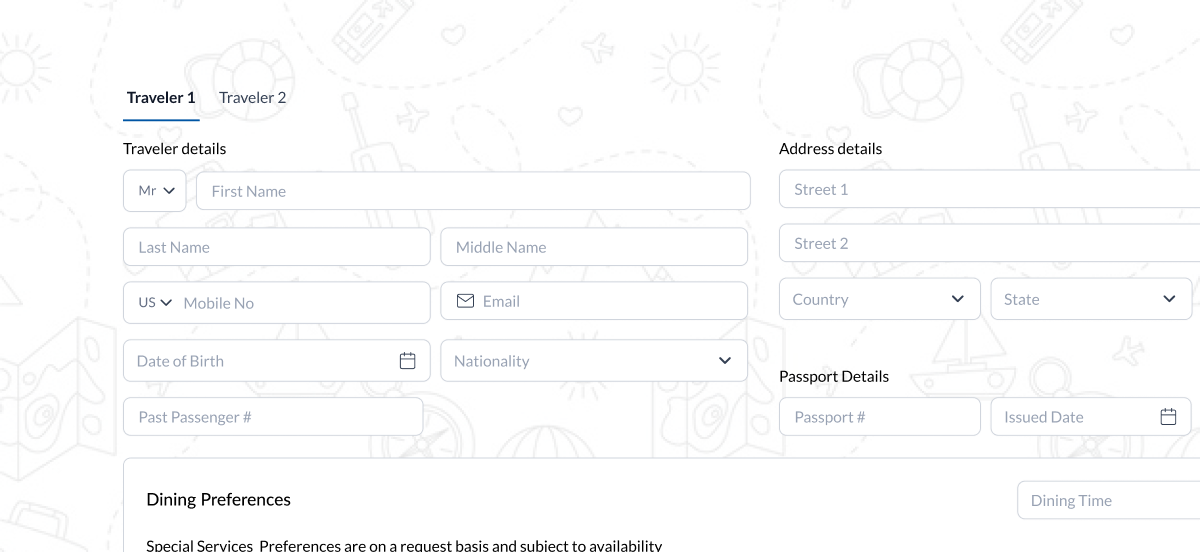
UC09 – Add Guest Details/Login to prefill data
The user enters traveler information and special requests or gets prefilled traveler data using login
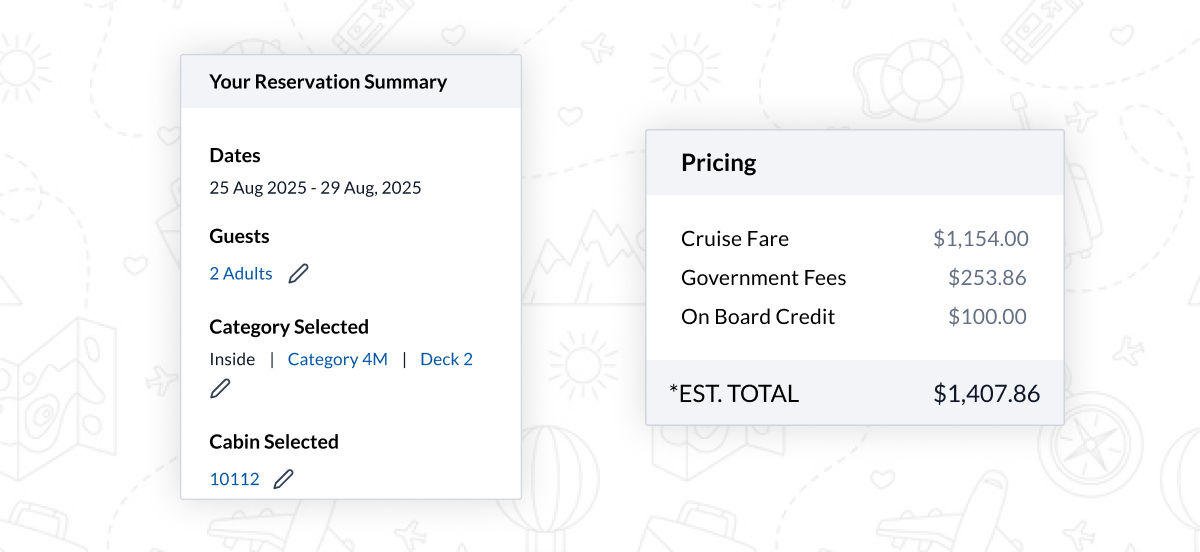
UC10 – View Transparent Fare Breakdown
Users see base fare, taxes, fees, add-ons, and discounts clearly itemized.
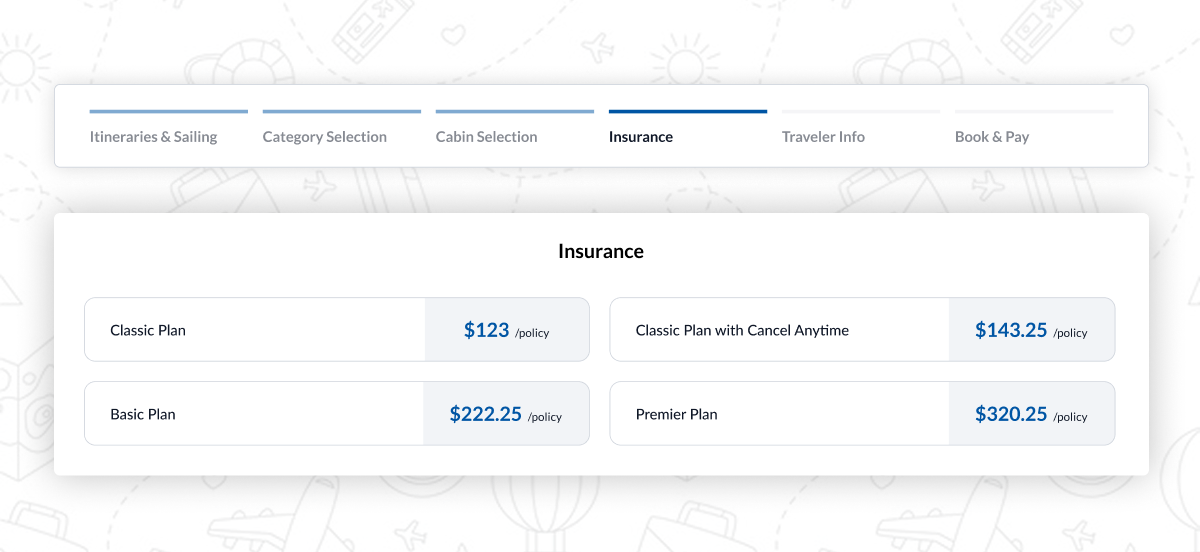
UC11 – Choose Insurance, Payment Method and Payment Mode
The user selects a credit card or other supported payment options like flex pay or by paying advance.
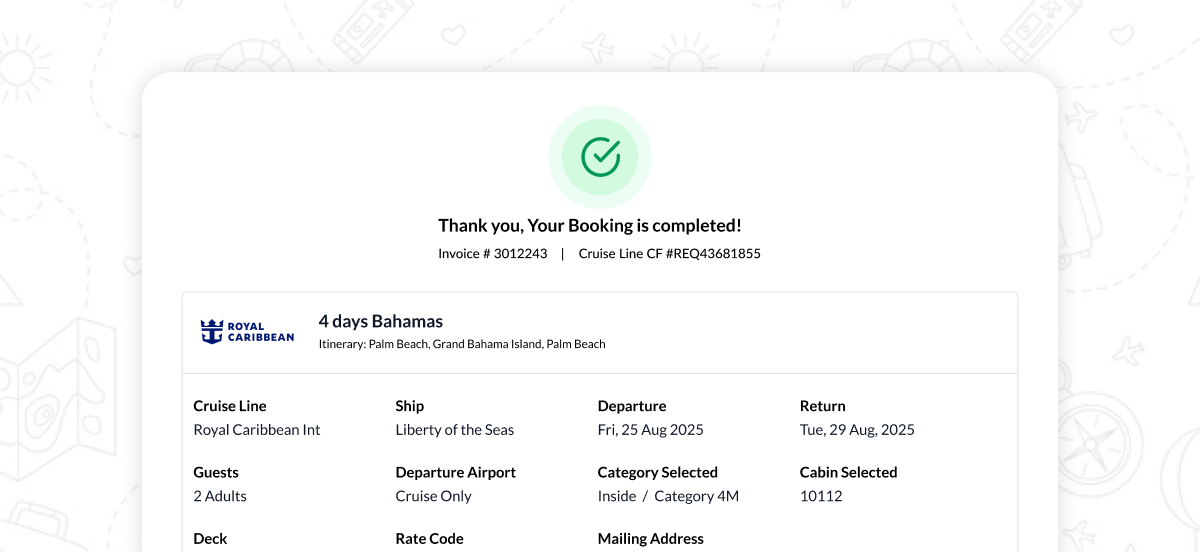
UC12 – Complete Payment & Get Confirmation
The user completes booking and receives confirmation with booking summary and invoice.
Get in touch
Where can I reach you?
Give me a quick idea of what you need
You’ll hear from me soon.
All works © Surya Narayanan 2026